What is a Subdomain and When Should You Actually Use One
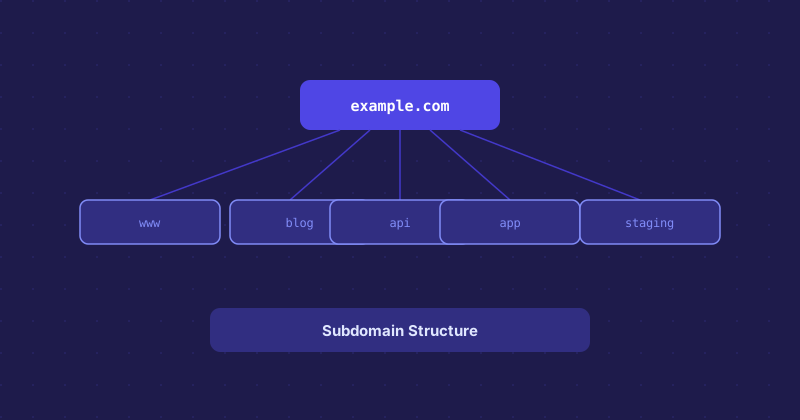
A subdomain is a prefix added to your domain name, separated by a dot. blog.example.com, shop.example.com, and api.example.com are all subdomains of example.com. They are free to create, point to separate servers or configurations, and are widely used — but they are not always the right choice.
How Subdomains Work Technically
At the DNS level, a subdomain is just another DNS record. You create an A record (or CNAME) for blog pointing to a server IP, and blog.example.com starts resolving. The DNS infrastructure treats it as a separate hostname from example.com. This means it can live on a completely different server, different technology stack, and different configuration — all while appearing to be part of the same site to visitors.
Common Uses for Subdomains
Some uses are so common they have become conventions:
wwwis the oldest — technically a subdomain, though most people do not think of it that wayapifor API endpoints, often on a separate server or serviceappordashboardfor the logged-in application, separate from the marketing sitestagingordevfor development environmentsmailorwebmailfor email client accesscdnfor serving static assets from a content delivery network
Subdomains vs. Subdirectories for SEO
This is where it gets debated. Google has stated they treat subdomains and subdirectories similarly, but in practice, many SEOs find that content on a subdirectory accumulates domain authority more reliably than content on a subdomain. The thinking is that example.com/blog benefits from the main domain's authority, while blog.example.com is treated somewhat independently.
For a company with a large marketing site and a separate app, using subdomains makes operational sense. For a content blog attached to a marketing site, a subdirectory is likely the safer choice from an SEO standpoint.
When Subdomains Clearly Make Sense
If the content or application on the subdomain is genuinely different from the main site in technology, team, or purpose, a subdomain is appropriate. An e-commerce checkout on a different platform, an API used by developers, a documentation site built in a different tool — these all make sense as subdomains.
Subdomains also make it easier to issue separate SSL certificates, set separate security policies, and deploy independently without risking the main site.
Setting Up a Subdomain
Log into wherever your DNS is managed — your registrar, Cloudflare, or another DNS provider — and add a new A record with the subdomain name as the host and the server IP as the value. If the subdomain points to another domain (like a CDN), use a CNAME instead. The change typically propagates in minutes if your TTL is low, or up to an hour if it is set to a higher value.
On the server side, you usually need to set up a virtual host or configure your web server to handle requests for the subdomain. Most hosting control panels have a dedicated "Subdomains" section that handles this automatically.