What is a Hosting Control Panel and Do You Actually Need One
If you have ever signed up for shared hosting, you have almost certainly encountered cPanel — the dashboard full of icons that lets you manage your site without touching a command line. Hosting control panels are the layer between you and the actual server, and understanding what they do helps you decide whether you need one.
What a Control Panel Does
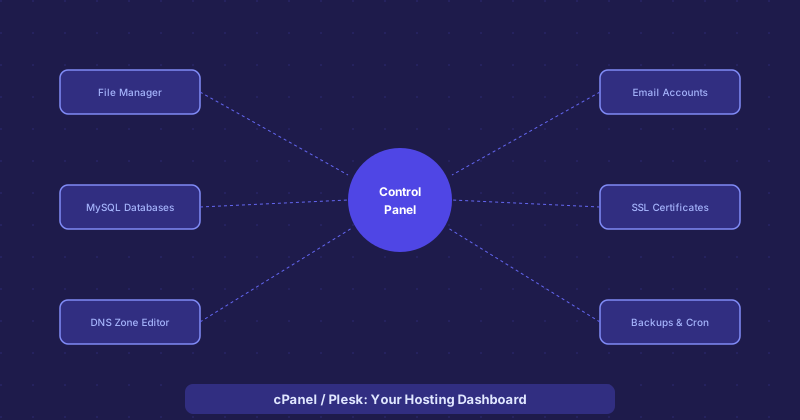
A hosting control panel provides a web-based interface for tasks that would otherwise require command-line access and server administration knowledge. The core functions cluster into a few categories: file management, database management, email account management, DNS configuration, SSL certificate installation, and scheduled tasks (cron jobs). Most also include one-click installers for popular software like WordPress, Joomla, and Drupal.
The appeal is accessibility. Setting up a MySQL database through cPanel is a few clicks. Doing the same thing from the command line requires knowing the MySQL syntax, having the right user permissions, and remembering the commands. For users who are not server administrators, the control panel bridges this gap.
cPanel
cPanel is by far the most widely used control panel, primarily on shared hosting. It is feature-rich, well-documented, and supported by thousands of tutorials. If you have a question about how to do something in cPanel, there is almost certainly a guide for it. The interface can feel cluttered with its icon-heavy layout, but most operations are findable with a search. cPanel runs on Linux and is typically paired with WHM (WebHost Manager) on the server administrator side, while users get the cPanel interface.
The main downside: cPanel changed its pricing model in 2019, significantly raising costs for hosting providers, which led to price increases passing through to customers and some hosts switching to alternatives.
Plesk
Plesk is cPanel's main competitor and supports both Linux and Windows servers. The interface is cleaner and more modern-feeling than cPanel. It is popular among developers and agencies managing multiple client sites. Plesk has strong WordPress management features — an integrated toolkit for managing WordPress installations, updates, and security. It is the more common choice on Windows-based hosting where cPanel does not run.
DirectAdmin and Alternatives
DirectAdmin is a lighter-weight alternative that became more popular after the cPanel pricing changes. It covers the core functions without as many add-ons. Webmin is a free open-source option popular with self-hosters. CyberPanel is built around the LiteSpeed web server and has a following among performance-focused WordPress users. HestiaCP is a free, clean alternative gaining adoption in the self-hosting community.
When You Do Not Need a Control Panel
If you are comfortable with a Linux command line, a control panel adds overhead without much benefit. Managing Apache or Nginx configuration files directly, using MySQL from the command line, setting up Certbot for SSL, and editing cron jobs with crontab are all straightforward if you have the background. A well-configured VPS without a control panel is faster (control panels add software overhead) and simpler to troubleshoot (fewer abstraction layers).
Many developers prefer stacks like SpinupWP or ServerPilot — these are lightweight management layers that handle the WordPress-specific configuration without the full overhead of cPanel, while still leaving you with shell access for everything else.
The Honest Assessment
Control panels exist to make server management accessible to people who are not Linux administrators. If that describes you, a control panel is genuinely valuable. If you are comfortable with the terminal, it is optional infrastructure that adds cost, complexity, and attack surface. The right answer depends on who is managing the server and how much command-line comfort they have.