What is a CDN and Do You Actually Need One for Your Website
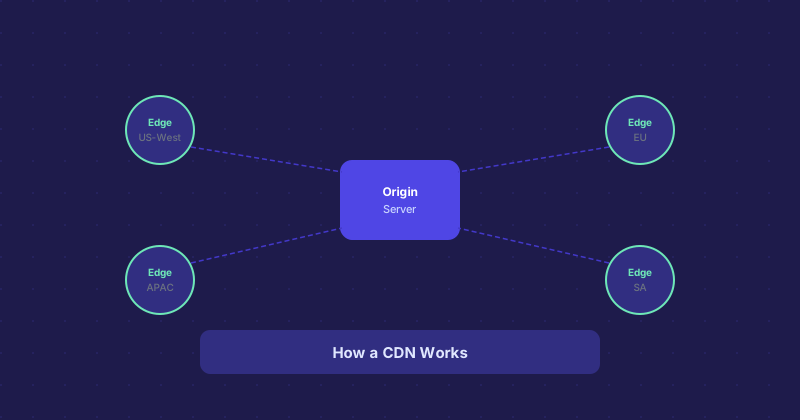
CDN gets thrown around a lot in hosting conversations, usually in a way that makes it sound more complicated than it is. The concept is straightforward: instead of serving your website from a single server in one location, a CDN copies your static files to dozens or hundreds of servers spread around the world. When someone visits your site, they get files from the server closest to them.
Why Distance to Server Matters
When a browser loads a webpage, every file it requests has to travel from the server to the user. Physics is the constraint here. A request from Sydney to a server in Dallas takes noticeably longer than a request from Dallas to the same server. Multiply that delay across dozens of assets — stylesheets, images, JavaScript files, fonts — and the gap adds up to real, measurable load time.
A CDN solves this by keeping a copy of those files at an edge node in or near Sydney. The HTML might still come from the origin server, but the heavy assets come from next door.
What a CDN Actually Caches
CDNs are good at caching static content: images, CSS, JavaScript, fonts, videos, and downloadable files. They are not designed to cache dynamic content — personalized pages, shopping carts, dashboard views — though some advanced CDNs can handle partial caching of dynamic responses.
Most WordPress sites, for example, benefit from CDN delivery of images and scripts even though the HTML itself is dynamic and generated per-request.
The Security Angle
Beyond speed, most CDNs also act as a buffer between your origin server and the public internet. They absorb DDoS traffic at the edge, filter malicious requests, and hide your origin IP address. If someone is trying to flood your server with junk traffic, a CDN often stops it before it reaches you.
This is a big part of why services like Cloudflare have grown so popular. The free tier provides genuine DDoS mitigation, not just caching.
Do You Need One?
For a small site with mostly local visitors, a CDN might not make a measurable difference. But if any of these apply to you, it is worth considering:
- Your visitors are spread across different countries or continents
- You serve a lot of images or videos
- You have experienced traffic spikes that slowed the site down
- You want basic DDoS protection without paying for a dedicated security product
- Your current host charges for bandwidth overages
Free vs. Paid CDNs
Cloudflare's free tier is genuinely useful and covers most small-to-medium sites. It handles DNS, provides caching, and includes DDoS protection. For sites that need more control — cache purge rules, custom header manipulation, analytics — the paid tiers are more appropriate.
Other options include Fastly, Akamai (enterprise-oriented), Bunny CDN (affordable, good performance), and Amazon CloudFront (powerful but complex to configure). For most people starting out, Cloudflare free covers 90% of what a CDN is supposed to do.
How to Set One Up
With Cloudflare, the process is: create an account, add your domain, and update your nameservers at your registrar to point to Cloudflare. Once that propagates, all your traffic flows through Cloudflare's network. You do not change anything on your hosting server. The CDN layer sits in front of it transparently.
Other CDN providers often work via a subdomain — you serve assets from a CDN subdomain like cdn.example.com and configure your site to load files from there. It is slightly more manual but keeps your DNS infrastructure separate.