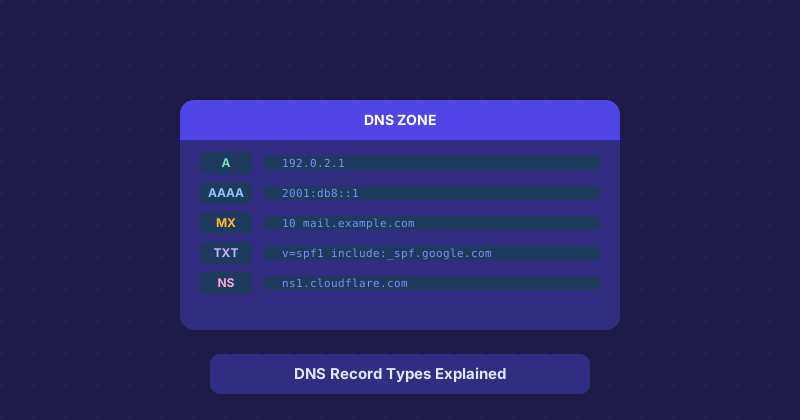
DNS Record Types: A Practical Guide to A, CNAME, MX, TXT, and the Rest
DNS records have a way of being explained in textbook fashion — technically accurate but not super useful when you are staring at a zone file trying to figure out what to change. Here is a practical rundown of the ones you will actually encounter.
A Record — The Foundation
An A record maps a domain name to an IPv4 address. It is the fundamental record that makes example.com resolve to a specific server. Most websites have one. Some have several for load balancing.
When you change hosts, the A record is usually what you update. DNS propagation after an A record change typically completes within an hour, though TTL settings can extend this.
CNAME Record — The Alias
CNAME stands for Canonical Name. It is an alias that points one domain name to another. For example, www.example.com might CNAME to example.com, so you only maintain one A record.
Important constraint: you cannot put a CNAME on the apex domain (the bare domain, example.com without www). Some DNS providers work around this with ALIAS or ANAME records, but that is a provider-specific extension, not standard DNS.
MX Record — Mail Routing
MX records tell the internet where to send email for your domain. Each record has a priority number — lower number means higher priority. If your primary mail server is unavailable, the next lowest priority MX server takes over.
When you set up Google Workspace or Microsoft 365, the first thing they ask you to do is update your MX records. This is why — your email will keep going to the old mail server until those records propagate.
TXT Record — The Swiss Army Knife
TXT records store arbitrary text, but in practice they are used for three things almost exclusively:
- SPF: Specifies which mail servers can send email on behalf of your domain. Helps prevent spoofing.
- DKIM: Stores the public key used to verify email signatures.
- Domain verification: When you sign up for Google Search Console, Mailchimp, or dozens of other services, they ask you to add a specific TXT record to prove you control the domain.
NS Record — Nameserver Delegation
NS records specify which nameservers are authoritative for your domain. When you point your domain from one DNS provider to another, you are changing the NS records at your registrar. Everything else (A, MX, TXT records) lives at the new provider once this is done.
SOA Record — Usually Automatic
The Start of Authority record contains administrative information about the DNS zone — the primary nameserver, admin email, serial number, and timing settings. Unless you are managing your own DNS infrastructure, you will never need to touch this directly.
AAAA Record — IPv6
The IPv6 equivalent of an A record. More and more networks are transitioning to IPv6, so modern sites should have both A and AAAA records if possible. Your DNS provider handles this, but it is worth checking.
CAA Record — Certificate Authority Authorization
CAA records let you specify which certificate authorities are allowed to issue SSL certificates for your domain. Setting these is a good security practice — it prevents an unauthorized CA from issuing a cert for your domain even if they somehow get a certificate signing request approved.