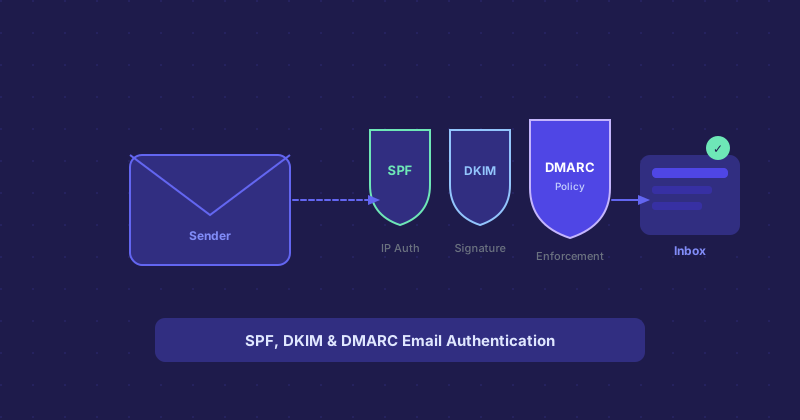
SPF, DKIM, and DMARC: Email Authentication Without the Headache
If you manage a domain with any email activity, you have probably run into SPF, DKIM, and DMARC. They are DNS TXT records, they are interconnected, and getting them wrong tanks email deliverability. Here is the practical version.
The Problem: Email Spoofing
Email has no built-in authentication. By default, anyone can send an email claiming to be from yourcompany.com. SPF, DKIM, and DMARC are the three mechanisms that fix this — each one at a different layer.
SPF (Sender Policy Framework)
SPF tells receiving mail servers which IP addresses and services are authorized to send email on behalf of your domain. You publish this as a TXT record:
v=spf1 include:_spf.google.com include:sendgrid.net ~allThe ~all at the end is a soft fail — messages from unauthorized sources are flagged but not rejected. -all is a hard fail and rejects them outright. Most setups use soft fail to avoid accidentally blocking legitimate mail.
SPF only authenticates the sending IP, not the message content.
DKIM (DomainKeys Identified Mail)
DKIM adds a cryptographic signature to outgoing emails. Your mail server signs each message with a private key, and the public key is published in a DNS TXT record. Receiving servers verify the signature against the public key to confirm the message has not been tampered with in transit.
DKIM protects message integrity. It also survives message forwarding in ways SPF does not.
DMARC (Domain-based Message Authentication, Reporting, and Conformance)
DMARC builds on SPF and DKIM by telling receivers what to do when authentication checks fail. Your policy can be:
p=none— Just monitor and report, take no actionp=quarantine— Move failing messages to spamp=reject— Reject failing messages entirely
DMARC also generates reports (sent to a specified email address) showing how your domain's email is being treated across the internet. These reports are invaluable for identifying misconfigured senders or spoofing attempts.
The Right Rollout Order
Set up SPF and DKIM first. Once your legitimate email streams are authenticated, add a DMARC record at p=none and monitor the reports for a few weeks. When you are confident all legitimate sources are covered, move to p=quarantine, then eventually p=reject.
Jumping straight to p=reject without proper setup will block legitimate email. Take the gradual approach.