HTTP vs. HTTPS: What the S Actually Does (and Why It Still Matters)
Most people know HTTPS is better than HTTP. Fewer people know exactly why, beyond a vague sense that it has something to do with security. Here is what is actually happening when that padlock appears in your browser.
The Problem HTTP Has
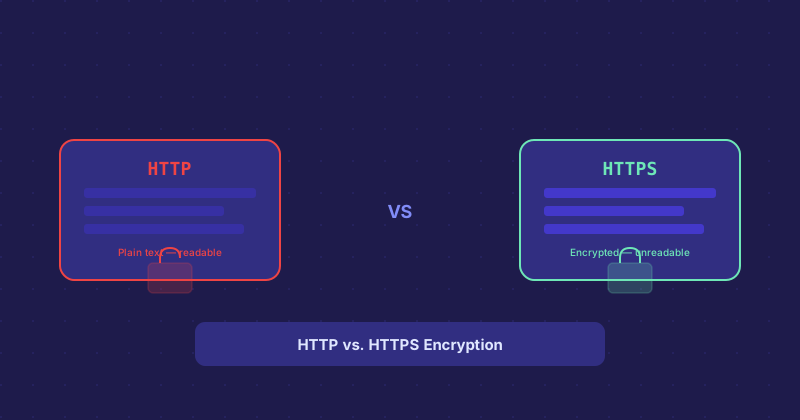
HTTP sends data as plain text. When your browser requests a webpage over HTTP, the request and response travel across the network as readable text. Anyone sitting between you and the server — on the same Wi-Fi network, at your ISP, at a router in the middle — can read that traffic. They can also modify it. This is not theoretical: coffee shop Wi-Fi snooping is a real thing, and some ISPs have historically injected ads into unencrypted HTTP responses.
What HTTPS Adds
HTTPS is HTTP with a TLS (Transport Layer Security) layer on top. TLS does two things: it encrypts the traffic so it cannot be read in transit, and it verifies that you are actually talking to the real server and not an impostor. That second part is what SSL certificates are for.
When your browser connects to https://example.com, the server presents a certificate signed by a trusted certificate authority (CA). Your browser checks that the certificate is valid, was issued for this domain, and was signed by a CA it trusts. If everything checks out, an encrypted session is established.
What SSL Certificates Actually Certify
A standard domain-validated (DV) certificate, which is the most common type, certifies that the person who set it up controls the domain. It says nothing about who that person is, whether they are legitimate, or whether the site is safe. You can get a free DV certificate for a phishing site.
Organization-validated (OV) and Extended Validation (EV) certificates require the CA to verify the company behind the domain. Browsers used to show the company name in the address bar for EV certs, but most have removed that UI since it was not meaningfully helping users distinguish safe from unsafe sites.
Free Certificates With Let's Encrypt
Until Let's Encrypt launched in 2016, certificates cost money — sometimes significant money for multi-domain or wildcard certs. Let's Encrypt changed that by issuing free, automated, 90-day DV certificates. Today almost every hosting provider integrates with Let's Encrypt. On most platforms you enable HTTPS with a single click.
The 90-day expiry is intentional. It limits the damage from a compromised certificate and pushes the ecosystem toward automated renewal rather than manual processes people forget about.
What Still Runs on HTTP and Why That Is a Problem
Some older sites, internal tools, and legacy systems still run on plain HTTP. Browsers now flag these with "Not Secure" warnings, and Google has confirmed that HTTPS is a minor ranking factor. More importantly, login forms on HTTP sites send credentials in plaintext. If anyone on your network is watching, they can capture your password.
If you are running a site that still uses HTTP, switching is usually straightforward. Get a certificate (free via Let's Encrypt), force redirects from HTTP to HTTPS, update any internal links that still use http://, and set an HSTS header to tell browsers to always use HTTPS going forward.
HTTPS Does Not Mean the Site Is Safe
The padlock means the connection is encrypted. It says nothing about the content. A scam site with a valid HTTPS certificate looks exactly like a legitimate site in terms of the padlock. This distinction matters because a lot of people have been trained to equate "padlock = trustworthy" and that is not accurate.