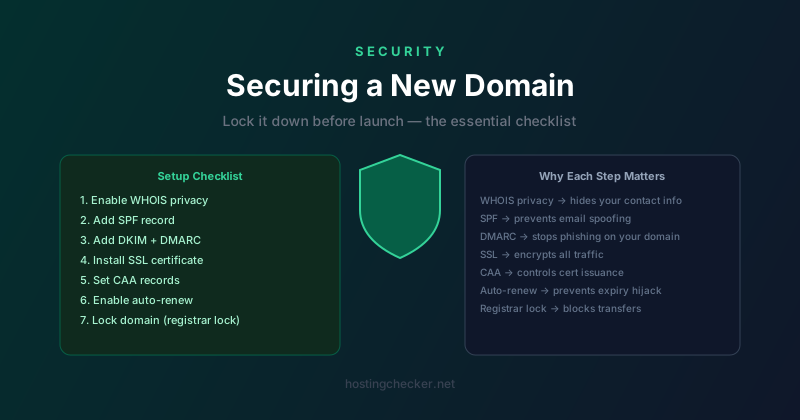
How to Secure a New Domain: The Complete Post-Registration Checklist
You have just registered a new domain name. The registrar sent a confirmation email, the domain shows up in your dashboard, and you feel that small rush of having staked your claim on a piece of the internet. Now what? Most people skip straight to setting up hosting, but the ten minutes you spend on domain security right now can save you from a costly hijacking or spam disaster later.
Step 1: Enable WHOIS Privacy
When you register a domain, your name, address, phone number, and email are submitted to the registrar and become part of the public WHOIS record. Without privacy protection, anyone can look up your personal details in seconds. Registrars are required to store this information but most offer free privacy protection that substitutes their own contact details for yours in the public record.
Enable this immediately. Spam flows in within hours of a new registration since scrapers watch new domains constantly. Privacy protection does not hide your ownership from legitimate legal processes but it eliminates casual exposure.
Step 2: Enable Registrar Lock
A registrar lock prevents your domain from being transferred to another registrar without you explicitly unlocking it first. Without a lock, an attacker who gains access to your registrar account could initiate a transfer. Most registrars enable the lock by default but it is worth confirming. Look for a status of clientTransferProhibited in the WHOIS record.
Step 3: Secure Your Registrar Account
Your domain is only as secure as the account it lives in. Enable two-factor authentication on your registrar account without delay. Use an authenticator app rather than SMS if the registrar supports it, since SIM-swapping attacks against phone numbers are a documented vector for domain theft. Use a strong unique password stored in a password manager.
Step 4: Set Up SPF, DKIM, and DMARC Records
Even if you have no intention of sending email from your new domain right now, publish email authentication records immediately. Domains without SPF and DMARC records are trivially easy to spoof. Phishers regularly register domains and then send fraudulent emails before the owner has even set up a mailbox.
A minimal protective setup for a non-sending domain: an SPF record of v=spf1 -all and a DMARC record of v=DMARC1; p=reject;. Publishing these two records closes off your domain as a phishing launchpad immediately.
Step 5: Install an SSL Certificate
If you are serving any web content at all, install an SSL certificate and redirect all HTTP traffic to HTTPS. Let us Encrypt provides free automatically renewable certificates that most hosting providers install with one click. A site served over plain HTTP is a liability: browsers show security warnings, and your visitors have no assurance that content has not been tampered with in transit.
Step 6: Add CAA Records
A Certification Authority Authorization record tells the world which certificate authorities are allowed to issue certificates for your domain. Without CAA records, any CA in the world can technically issue a certificate for your domain. With a CAA record pointing only to your preferred CA, any other authority will refuse to issue even if someone passes their validation checks. CAA records are a small addition with a meaningful security benefit.
Step 7: Enable Auto-Renew
Domain expiry is one of the most common and most preventable causes of domain loss. Expired domains enter a redemption period and are then released for general registration. There is an entire industry built around catching expired domains the moment they become available. Enable auto-renew with a payment method that will not expire, and note your expiry date in a calendar you actually check.
Step 8: Set Up Monitoring
Once everything is configured, set up a way to notice if anything changes. Many registrars offer email alerts for changes to nameservers or account details. Third-party services can monitor your WHOIS record and alert you immediately if something changes. A nameserver change you did not make is a serious warning sign requiring immediate action.
The Long View
These steps take less than an hour and most are one-time configurations. A domain is a long-lived asset, in some cases the most valuable thing a business has on the internet. Treating it with the same care you would give any critical piece of infrastructure is not paranoia, it is basic hygiene.