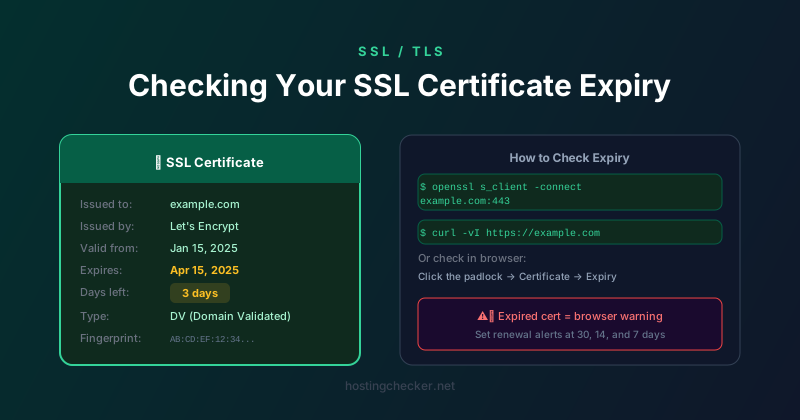
How to Check Your SSL Certificate Expiry Date (and Not Miss It)
An expired SSL certificate is embarrassingly easy to overlook and surprisingly damaging when it happens. The browser throws a full-page warning, visitors leave immediately, and anyone who manages to get through sees a site that looks like it has been abandoned. Here is every way to check when your certificate expires and how to make sure you are never caught off guard.
Why Certificates Expire
SSL/TLS certificates have expiry dates built in by design. The current standard validity period is 397 days, about 13 months, for certificates issued by public certificate authorities. Shorter validity periods were introduced deliberately to limit the window of exposure if a certificate is compromised. If a certificate is issued to a bad actor or its private key is stolen, a shorter validity period limits how long that certificate can be misused.
Let us Encrypt certificates have a 90-day validity period, which is even shorter. The reasoning is that a 90-day period encourages and requires automation, which leads to better security practices than annual manual renewals. Most Let us Encrypt users set up automated renewal that runs roughly every 60 days, well before the 90-day expiry.
Checking in Your Browser
The quickest check for any live site is directly in the browser. Click the padlock icon in the address bar. The exact interface varies slightly between browsers but you will find an option to view certificate details. In Chrome, click the padlock, then Connection is secure, then Certificate is valid. In Firefox, click the padlock, then the arrow, then More information, then View Certificate. Look for the Validity period or Expires On field.
Using OpenSSL from the Command Line
For a quick command-line check, OpenSSL can connect to a server and show the certificate details in a few seconds:
echo | openssl s_client -connect example.com:443 2>/dev/null | openssl x509 -noout -dates
This outputs the notBefore and notAfter dates of the certificate. The notAfter date is the expiry you care about. You can also use the -enddate flag to show just the expiry date. This command works on any system with OpenSSL installed, which includes macOS, Linux, and WSL on Windows.
Using curl
If you have curl, you can check certificate expiry like this:
curl -vI --silent https://example.com 2>&1 | grep -A 2 "expire date"
The verbose output from curl includes certificate validity information. This is useful for quick checks in shell scripts or when OpenSSL is not available.
Checking Multiple Domains
If you manage many domains, manually checking each one is impractical. A simple shell script can loop over a list of domains and report on each one. Online monitoring services like UptimeRobot, StatusCake, and many dedicated SSL monitoring tools will scan your certificates on a schedule and send alerts when expiry is approaching. Most of these services have a free tier that covers a reasonable number of domains.
Setting Up Renewal Alerts
The most reliable approach is layered alerting. Set reminders at 30 days, 14 days, and 7 days before expiry. If you are using Let us Encrypt with Certbot or another ACME client, confirm that automatic renewal is actually configured and running. Test it by running the renewal command with the dry-run flag: certbot renew --dry-run. If the dry run succeeds, the actual renewal should work.
If you are using a managed certificate from your hosting provider, verify that auto-renew is enabled in their dashboard. Many control panels have a toggle for this and it is not always on by default.
Common Reasons Certificates Expire Unexpectedly
Automated renewal fails silently for several reasons. The most common is that the ACME challenge cannot complete because the domain has been moved to a different server, a firewall rule has changed blocking port 80, or the DNS has been updated to point somewhere else. The renewal job runs, fails, and nobody notices until the certificate is about to or has already expired.
Email alerts from Let us Encrypt and other CAs about upcoming expiry sometimes end up in spam. The email is sent to the address used during certificate issuance, which may be a generic account that nobody monitors. Check that expiry notification emails from your CA are reaching an inbox that someone actually reads.
What to Do When a Certificate Has Already Expired
If you have discovered a certificate is already expired, the priority is reissuance. For Let us Encrypt, running certbot renew immediately will issue a new certificate as long as the validation challenge can complete. For paid certificates, contact your CA or use their reissuance portal. Most CAs can turn around an emergency reissuance quickly. Once the new certificate is installed, confirm that your web server has loaded it correctly by checking the expiry date via browser or OpenSSL.