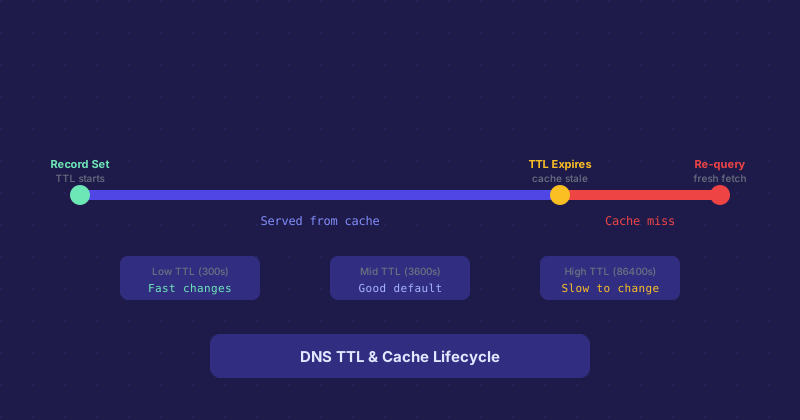
How DNS TTL Works and Why It Matters When You Change Anything
Every DNS record has a TTL — Time To Live — measured in seconds. It tells resolvers how long they can cache the record before they need to ask for a fresh copy. Set it too high and your DNS changes take forever to propagate. Set it too low and every DNS query hits your nameserver, which adds latency and load.
What TTL Actually Controls
When a recursive resolver (like the one run by your ISP, or Google's 8.8.8.8) fetches a DNS record, it stores it in cache for the TTL duration. During that time, queries for that record are answered from cache without contacting your nameserver. Once the TTL expires, the resolver fetches a fresh copy.
This means a TTL of 86400 (one day) results in changes taking up to 24 hours to reach everyone. Not because the change is slow to propagate from your nameserver, but because resolvers around the world have cached the old record and will not ask for a new one until their cached copy expires.
Default TTLs and What They Mean in Practice
Many DNS providers default to 3600 seconds (one hour) for new records. Some use 14400 (four hours). A few overly conservative setups use 86400 (one day). For most records, one hour is a reasonable default — changes propagate within an hour, and resolver cache hit rates are high enough that it does not hammer your nameserver.
The SOA record contains a separate set of timing values used between nameservers for zone transfers, but for typical external DNS operations, the per-record TTL is what matters.
Lowering TTL Before a Planned Change
The standard practice when you know a DNS change is coming — a server migration, a failover test, a provider switch — is to lower the TTL several days in advance. Drop it to 300 seconds (five minutes). Let that low TTL propagate and get cached. Then make your change. With a 5-minute TTL, the world sees your new record within 5 minutes of the change.
After the change is live and stable, raise the TTL back. Low TTLs mean more DNS queries, which is fine for a brief window but wasteful as a permanent setting for stable records.
TTL and Failover
If you are using DNS for failover — pointing traffic to a backup server when the primary is unavailable — TTL directly determines your recovery time. With a TTL of 3600, traffic will keep hitting the dead primary for up to an hour even after you update the record. With a TTL of 60, recovery can happen in a minute. High-availability setups that rely on DNS failover typically set very short TTLs on their critical records for this reason.
Negative TTL
There is also a negative TTL: how long resolvers cache the fact that a record does not exist. This is defined in the SOA record. If someone queries for a hostname that does not exist and gets an NXDOMAIN response, the resolver caches that response for the negative TTL duration. This matters if you create a new record — resolvers that recently got an NXDOMAIN will not ask again until the negative TTL expires.
Practical Recommendations
For stable records that rarely change (MX, SPF, NS), a TTL of 3600 to 86400 is fine. For A records on sites you might migrate, 3600 is a sensible default. For anything you need to be able to change quickly — load balancer endpoints, failover records, records in active testing — keep TTLs at 300 or lower. The overhead is minimal and the operational flexibility is significant.