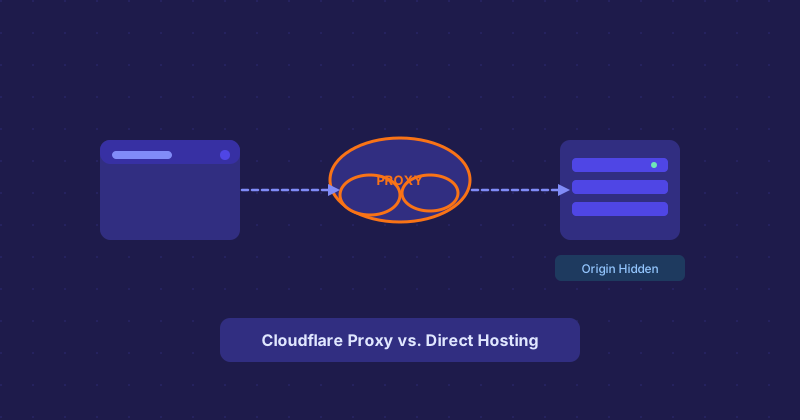
Cloudflare in Front vs. Direct Hosting: What the Difference Actually Means
Every few days someone messages me saying the hosting checker returned Cloudflare and they are confused because the site is clearly on some shared WordPress host. They are not wrong to be confused. Let me clear this up.
Cloudflare Is Not a Web Host
Well, technically they offer some hosting products now, but the reason you see Cloudflare in hosting lookups almost always has nothing to do with where the files are actually stored. Cloudflare is a CDN and reverse proxy. When a site routes traffic through Cloudflare, DNS points to Cloudflare's IP addresses, not the origin server's. The origin server could be on a $5 VPS in Germany or a beefy dedicated box in Singapore — you would not know from a plain IP lookup.
What Happens at the Network Level
Here is the chain: your browser sends a request, DNS resolves the domain to a Cloudflare IP, Cloudflare receives the request at their edge, then forwards it to the origin. From the outside world, the only IP you can see is Cloudflare's. The origin IP is not in public DNS at all.
How to Find the Real Host Anyway
A few techniques work reasonably well:
- Check historical DNS records. Tools like SecurityTrails or archive.org sometimes have old A records from before Cloudflare was enabled.
- Look at the nameservers. The NS records tell you who manages DNS. If they say
ns1.bluehost.com, the actual site is probably on Bluehost. - Check MX records. Mail servers are often not proxied through Cloudflare, so the MX record might point to the real hosting provider's mail servers.
- SSL certificate history. Certificate transparency logs sometimes reveal subdomains that are not proxied.
When You Want the Cloudflare Answer
Sometimes Cloudflare IS the correct answer. If you are checking a site to understand its infrastructure for security research, knowing they use Cloudflare tells you something real about their DDoS protection and CDN strategy. For that purpose, the lookup is totally accurate.
The Practical Takeaway
Use hosting lookups as a first pass. If you get Cloudflare, go one layer deeper with NS records and MX records. Between those three data points, you can usually piece together a fairly accurate picture of where a site actually lives.